
You are about to post photos, send them to a client or hand them to someone you do not know, and you want them to carry nothing beyond the picture: no camera serial number, no location, no edit history, no captions you forgot were there. You want that for a whole folder at once, and you want the image itself left exactly as it was.
Do it in Parergon
- 01
Select the photos in Parergon
Pick one photo, a selection or a folder. Parergon shows what each file carries before you remove anything.
- 02
Choose how much to remove
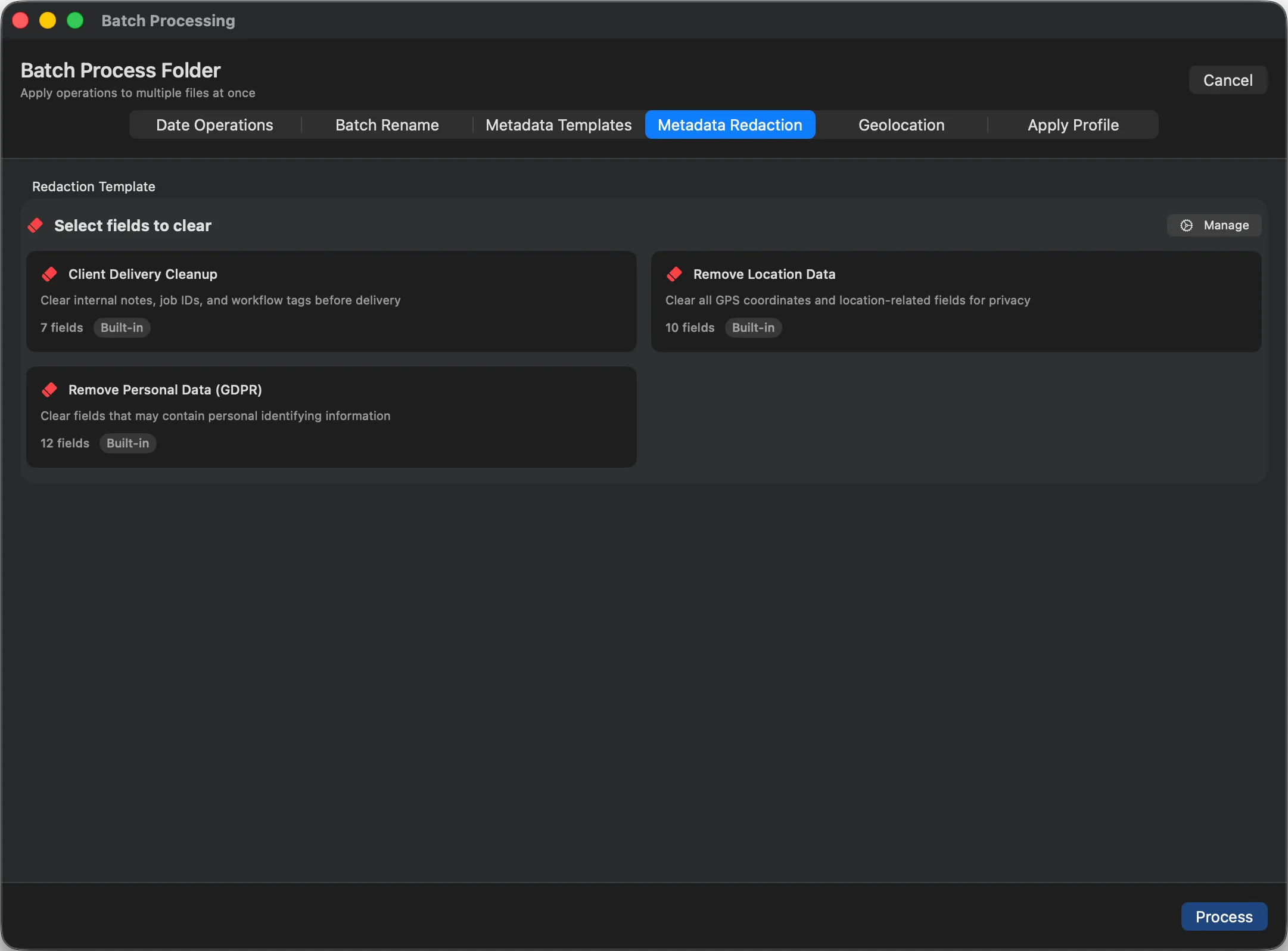
The Metadata Redaction tab of the Batch Processing panel (shown below with the Client Delivery Cleanup template) offers three Strip All Metadata presets, which also remove what field-by-field cleanup cannot reach: maker notes, unknown XMP and embedded thumbnails. Safe keeps the colour profile and orientation, Complete removes those too, and Strip All except Copyright keeps your copyright notice. To remove only some fields, such as location or personal data, use a redaction template instead.
- 03
Write and check
Parergon keeps a recoverable backup for 7 days, so ⌘Z puts everything back. Batch redaction is part of Parergon Pro.
Strip All works on formats where removing everything is safe and skips RAW files, where camera data is needed to open the image. For RAW, field-based redaction removes location and personal data and keeps the rest. For a quick one-off JPEG or PNG, the free online viewer strips metadata in your browser.
Why this happens
A photo carries far more than most people expect. EXIF holds the camera, lens, settings, date and often a serial number and GPS position. Maker notes add the camera maker’s private data. XMP can hold your edit history, ratings and keywords, IPTC holds captions, names and copyright, and many files include a small embedded preview that keeps its own copy of some of this.
Removing one field at a time misses most of it. "Remove all" has to mean every one of these blocks, while leaving the image data, and ideally the colour profile, untouched so the photo still looks the same.
Other ways to do it on a Mac
- The free online metadata viewer
-
Drop a JPEG or PNG on parergon.io/metadata-viewer/ and download a clean copy. It runs in your browser, nothing is uploaded, and the colour profile is kept.
- Preview and Apple Photos
-
Preview can remove the location (Tools ▸ Show Inspector, More Info, GPS, Remove Location Info) but not the rest. Apple Photos can leave out location, and titles, keywords and captions, when you export, but camera data stays in the exported file.
- ExifTool (free, Terminal)
-
The first command removes all metadata. It also removes the colour profile, so the second keeps that. ExifTool warns not to strip RAW files other than DNG this way.
exiftool -all= photo.jpg
exiftool -all= -tagsFromFile @ -ICC_Profile photo.jpg
Questions
Does removing metadata reduce photo quality?
No. Metadata sits in separate blocks of the file; removing it leaves the image data untouched, so the pixels are identical.
Will the colours change after stripping metadata?
They can, if the colour profile is removed with everything else. Parergon’s Safe preset keeps the colour profile and the orientation; Complete removes them, so colours or rotation may shift. The free online viewer keeps the profile, and with ExifTool you add -tagsFromFile @ -ICC_Profile to keep it.
Can I keep my copyright but remove everything else?
Yes. Parergon’s Strip All except Copyright preset removes all metadata except the copyright notice.
Can I strip metadata from RAW files and videos?
Removing everything from RAW files is not safe, so Strip All skips them. Field-based redaction removes location and personal data from RAW formats such as NEF, CR2 and DNG, from TIFF, and from video, including the GPS embedded in video files.

See the complete workflow: Deliver clean, safe files to clients →
Go deeper: Strip metadata in your browser with the free online viewer.