
A new name · MetaScope is becoming Parergon Read more

The problem

Sequential camera names do not sort by time, collide between cards, and hide the one thing you care about: when the photo was taken. Renaming by hand across thousands of files is a non-starter.

01 · Rename by the moment

Every name built from the capture date.

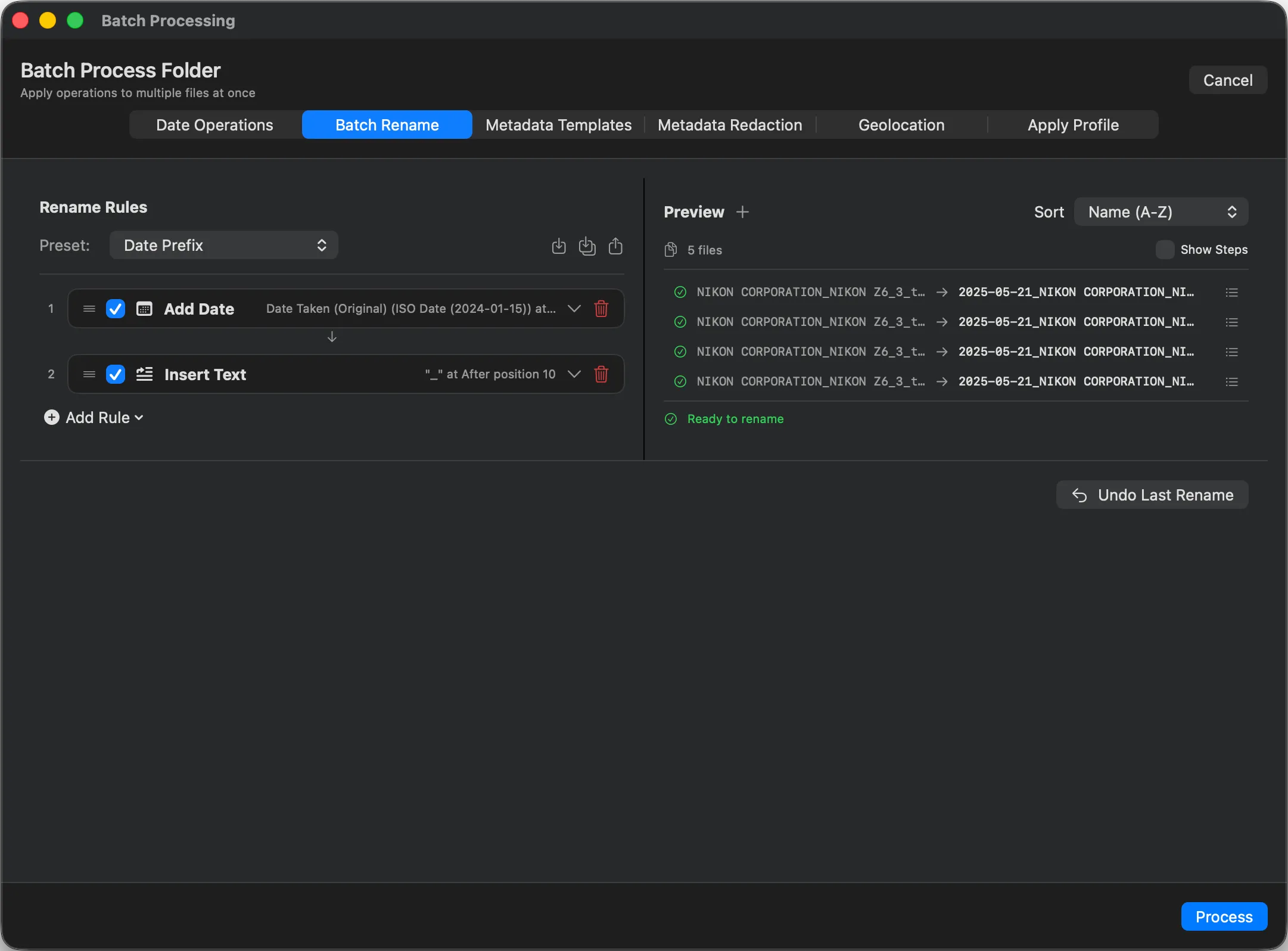
Pick a Date Prefix preset, or stack rules to build any pattern you like: an ISO date, a counter, the original name, custom text. The live preview shows the before and after for every file, so there are no surprises when you apply.

  • Date tokens
  • Counter
  • Original name
  • Custom text
  • Case
Advanced rename techniques →
Parergon Batch Rename showing a Date Prefix preset that renames NIKON files to a year, month, day pattern

02 · The right date

Read the date from the photo, not the file.

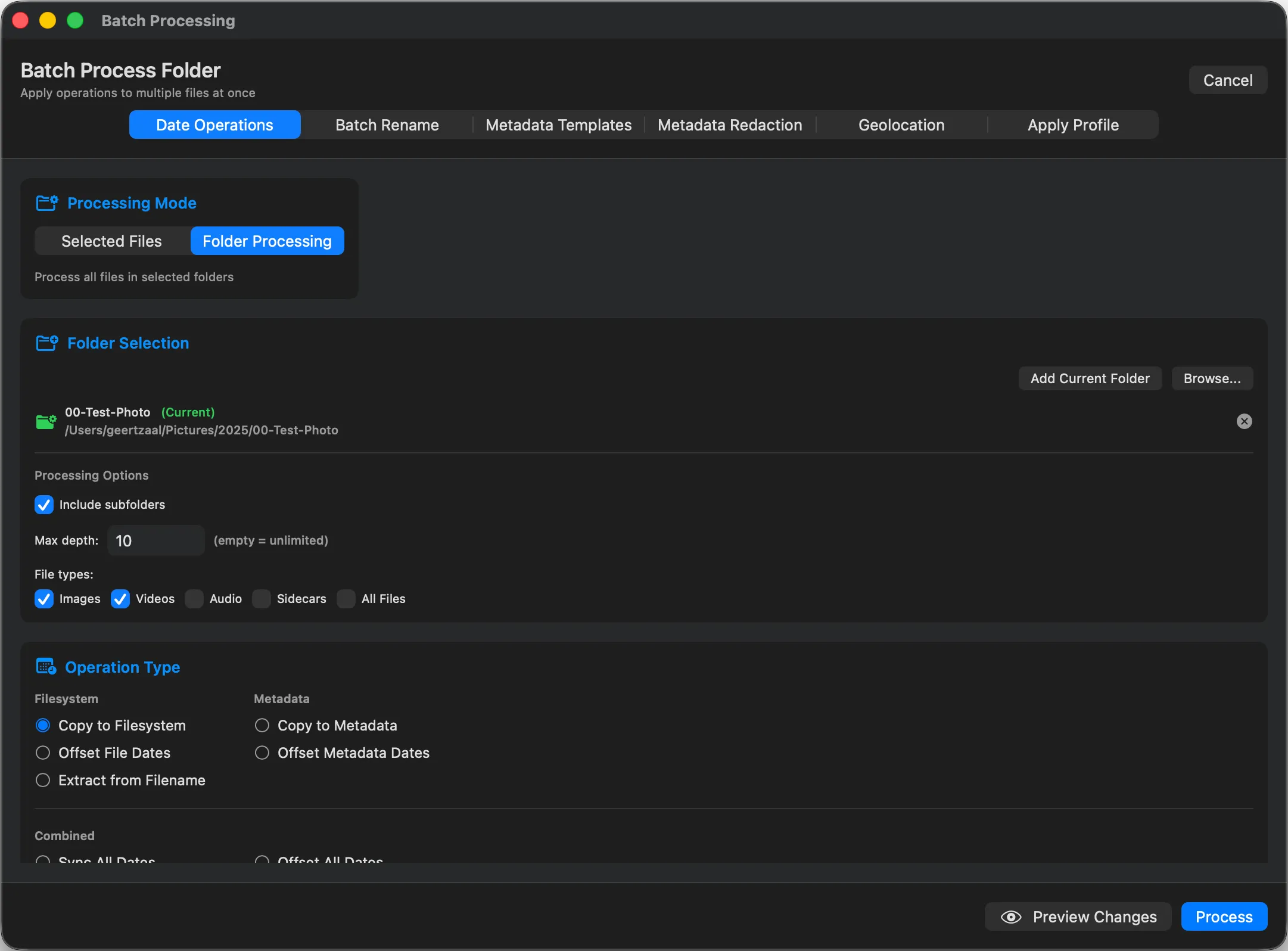
The name is only as good as the date behind it. Parergon names from Date Taken in the file, not the import date. If the capture dates are wrong (a bad camera clock, scanned prints), fix them first, then rename against the corrected dates.

Fix broken dates first →
Parergon Date Operations reading the capture date from EXIF so the filename matches when the photo was taken
One file, renamed
Field Original Renamed
Filename IMG_4821.JPG 2015-06-03_154210.jpg
Date Taken 2015:06:03 15:42 2015:06:03 15:42
EXIF / IPTC / XMP Intact Intact

Good to know

How it renames.

System
macOS 15.4 or later, on a Mac with Apple silicon.
Preview first
Every new name is shown before you apply. Collisions are resolved automatically.
Metadata safe
Only the filename changes. The metadata inside each file is untouched.

Questions

Rename questions

Where does the date in the filename come from?

From the photo itself. Parergon reads Date Taken (DateTimeOriginal) out of each file, so the name matches when the shot was made, not when it was imported or copied.

Can I control the exact name format?

Yes. Stack rules to build any pattern: date tokens, a counter, original name, custom text and case changes. A live preview shows the before and after for every file before you commit.

What happens if two files would get the same name?

Parergon resolves collisions for you, for example by adding a sequence number, so no file is overwritten during the rename.

Does renaming touch the image or its metadata?

No. Only the filename changes. The pixels and the EXIF, IPTC and XMP metadata inside the file are left exactly as they were.

Rename your whole library by the date it happened.

Download on the Mac App Store