Can we measure your visit?
With your permission we use Google Analytics to see which pages are useful, so we can improve the site. Nothing is measured unless you accept. You can change this any time under Cookie settings. Privacy policy
A new name · MetaScope is becoming Parergon Read more
 Parergon
 Dates · Batch · Mac
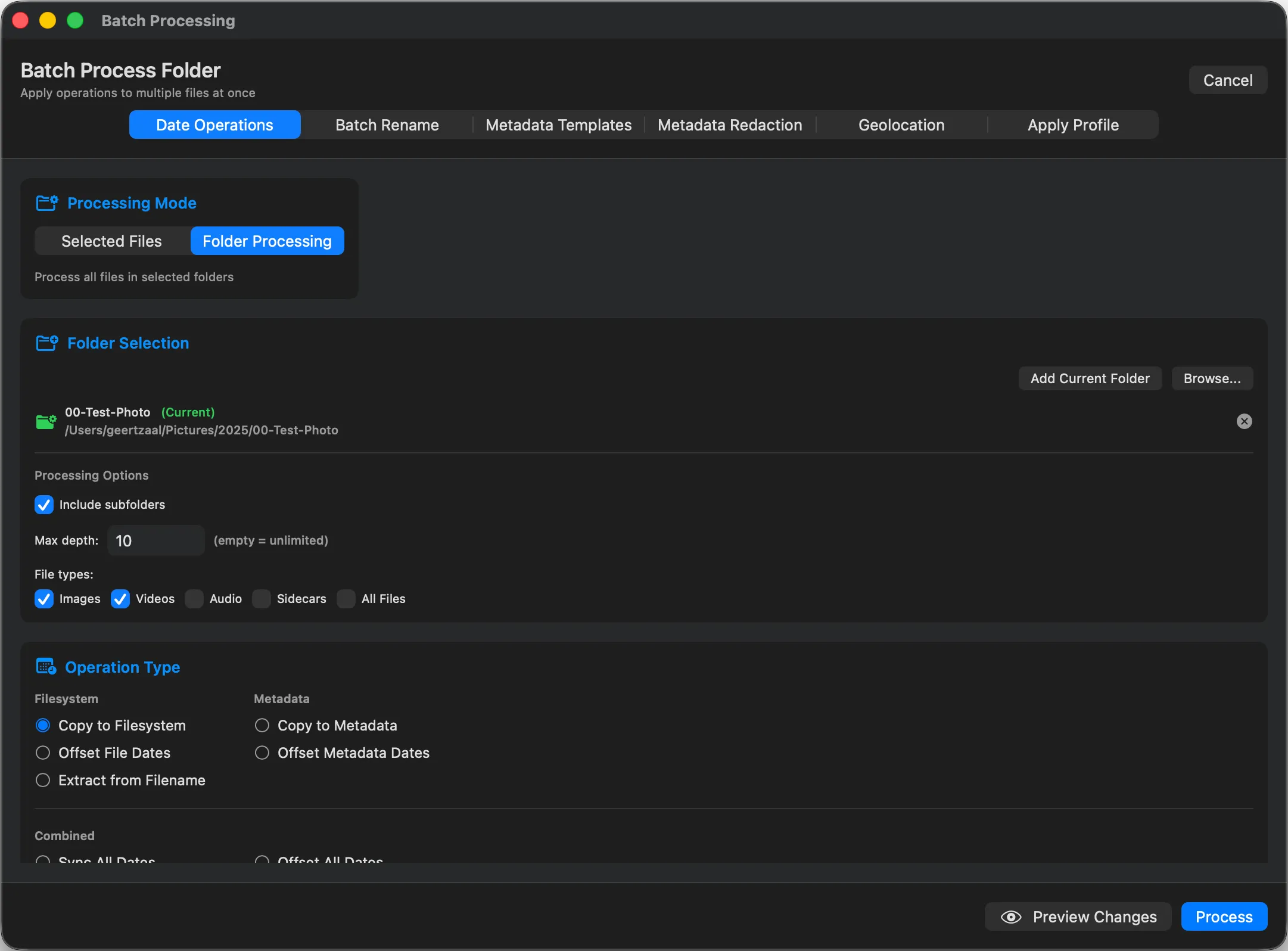
A camera clock that was never set, a trip across time zones, or a box of scanned prints all leave you with the wrong capture date. Parergon corrects the dates across a whole shoot at once, in place, with your video clips fixed in the same pass and nothing else in the file touched.
The problem
Wrong dates scatter a library out of order and break every timeline built on top of it. Fixing them file by file is hopeless, and some tools re-encode the photo or wipe other fields the moment they touch a date.
Three common cases
How it works
Drag in a single file or a whole folder. Parergon reads the current EXIF, IPTC and XMP dates so you can see what is wrong before changing anything.
Set an exact capture date, or shift the whole selection by a fixed offset for a bad clock or a time-zone change. Video is corrected in the same pass.
Parergon updates only the date fields. The image data and every other metadata field are left untouched.
| Field | Before | After |
|---|---|---|
| EXIF:DateTimeOriginal | 2026:02:11 09:14 | 1994:07:20 00:00 |
| EXIF:CreateDate | 2026:02:11 09:14 | 1994:07:20 00:00 |
| File modified date | 2026:02:11 | 1994:07:20 |
| Other metadata | Intact | Intact |
Good to know
Questions
No. Parergon writes the date fields in place. The pixels are not re-encoded and the rest of the EXIF, IPTC and XMP metadata is left exactly as it was.
Yes. Parergon shifts the QuickTime date fields on MOV and MP4 video in the same pass as your photos, so a mixed set stays in sync. Most metadata editors ignore video entirely.
Yes. Apply a fixed offset (for example plus two hours) across the whole selection, or set an exact date. It works on one image or on hundreds.
Parergon can derive a missing date from a filename or a GPS timestamp, flag files whose dates disagree, and let you review before writing, so you are not guessing blind.