
A new name · MetaScope is becoming Parergon Read more

The problem

Free-typed keywords drift: singular here, plural there, a typo everywhere. Inconsistent tags break search and make a large library harder to use over time, not easier. Consistency has to be built in, not policed by hand.

01 · A shared vocabulary

Tag from an approved list, not from memory.

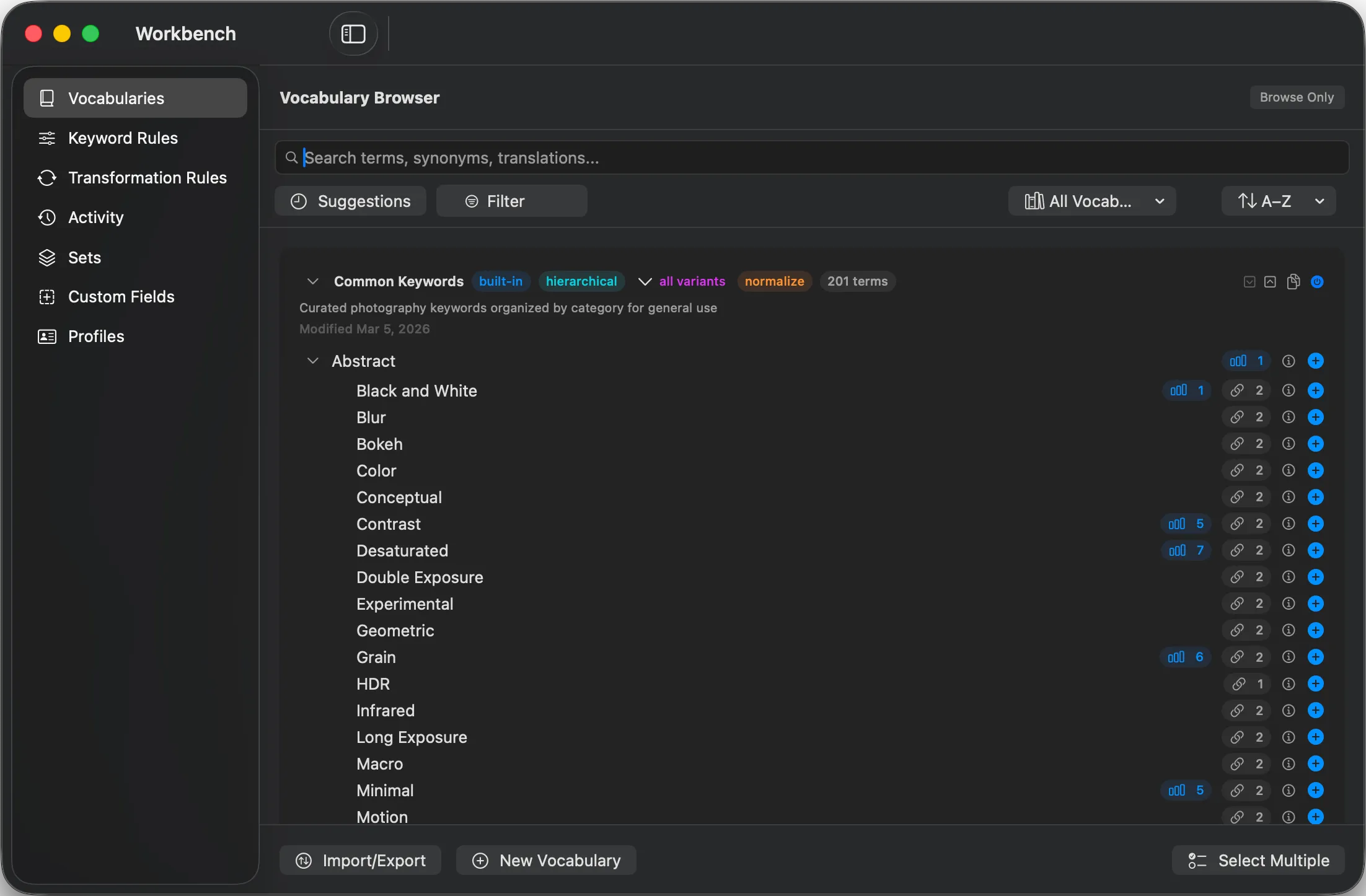
Build or import a controlled vocabulary with hierarchy and synonyms, so every keyword is spelled and worded the same way across the whole library. Synonym-aware search then finds a concept even when the exact word differs.

Building the tree is quick: New Child Keyword sits on a term's right-click menu in the hierarchy view, with the name field anchored at the parent row, the same name can live in two different branches (so "Nikon > 2026" and "Canon > 2026" coexist), and Cmd+Z steps back through term edits, including a whole branch you deleted.

  • Hierarchy
  • Synonyms
  • Translations
  • Import and export
About controlled vocabularies →
Parergon Vocabulary Browser showing a hierarchical controlled vocabulary with synonyms and translations

02 · Do it in bulk

Keyword a whole selection, or let rules do it.

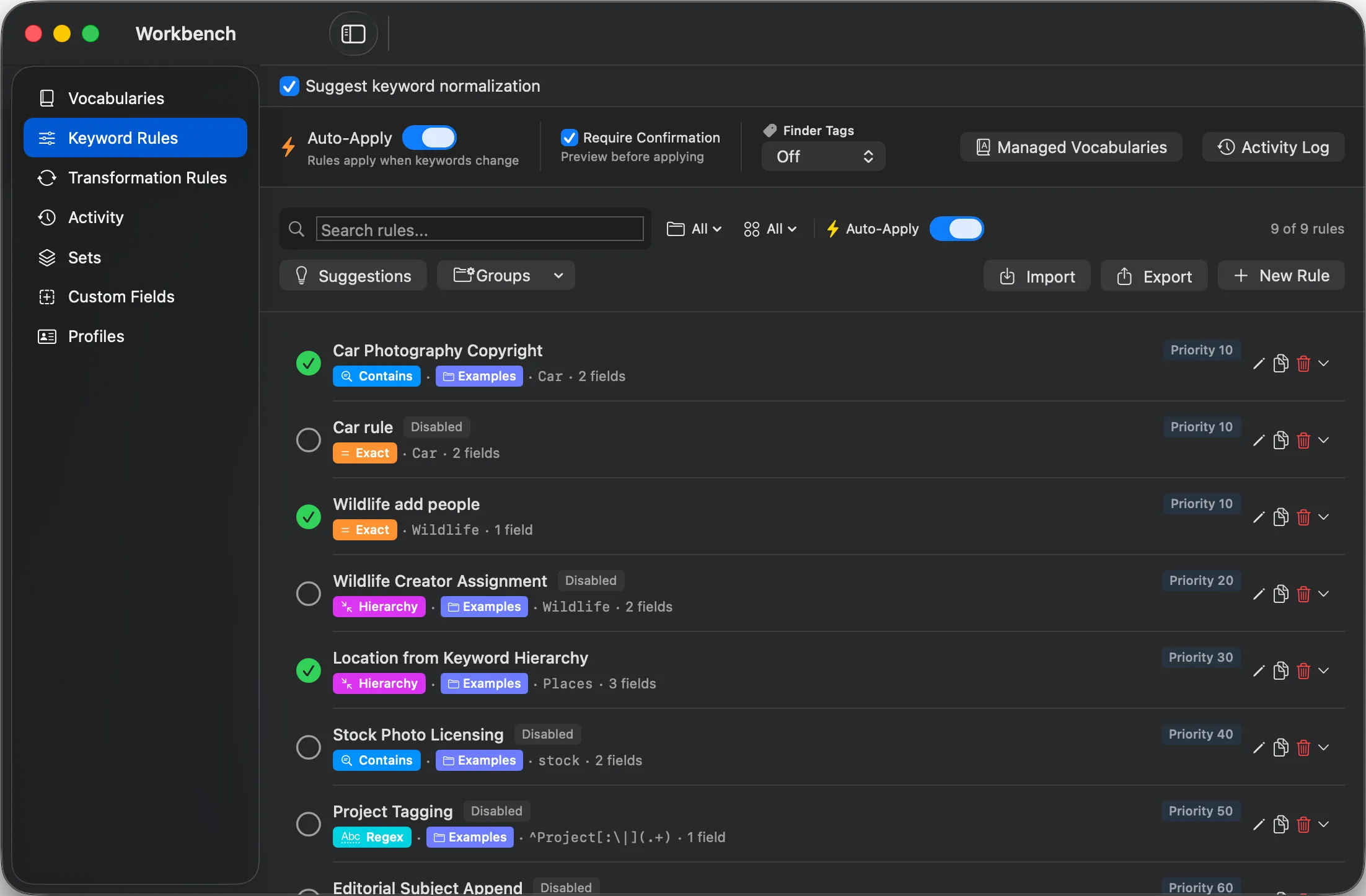
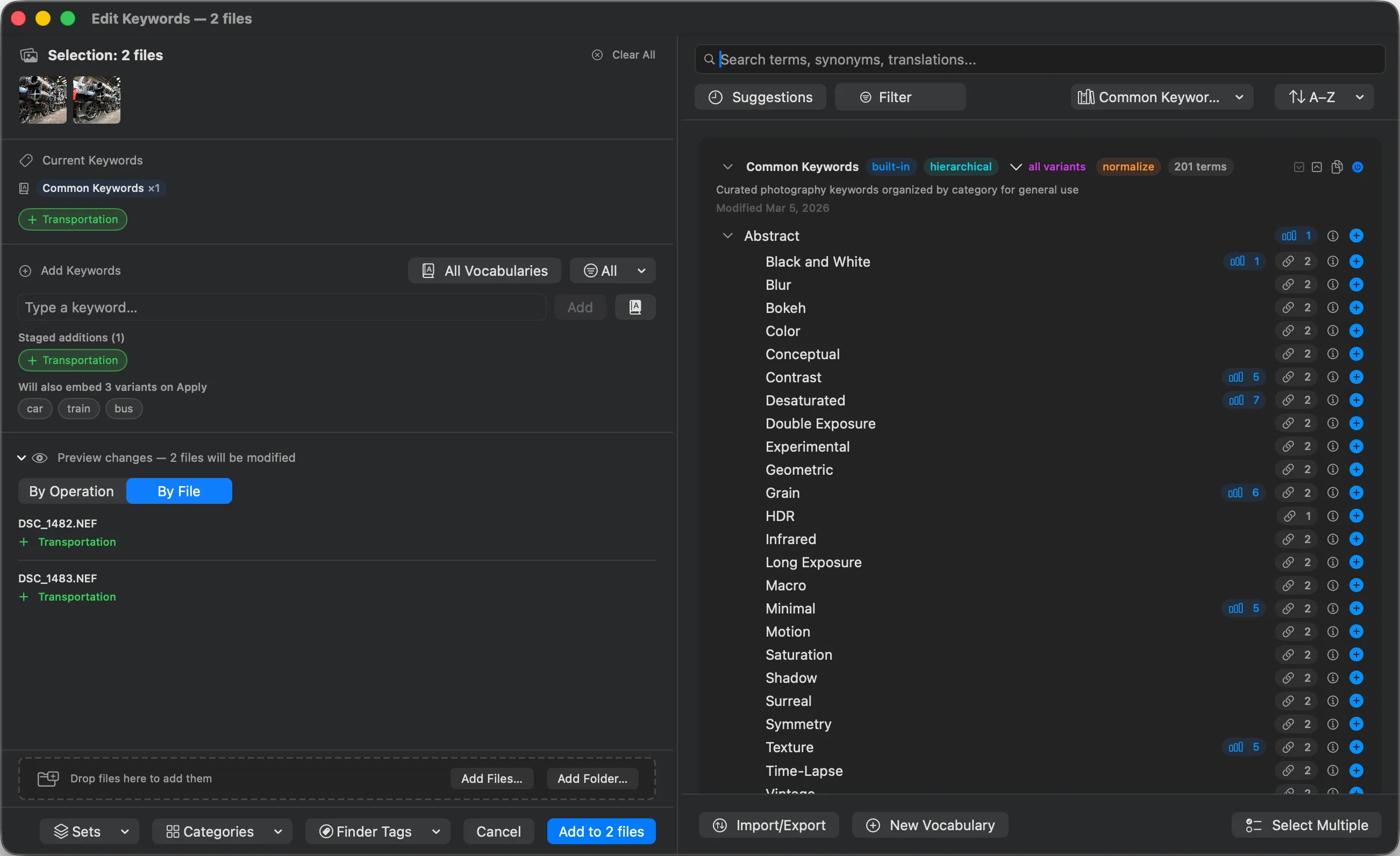
Add or remove keywords across many photos at once in the Keyword Workbench. Keyword rules apply tags automatically when your conditions match, so the repetitive tagging runs itself and stays consistent.

Inside the workbench →
Parergon Keyword Rules automatically applying keywords based on conditions

03 · Let AI start you off

On-device suggestions for what is in frame.

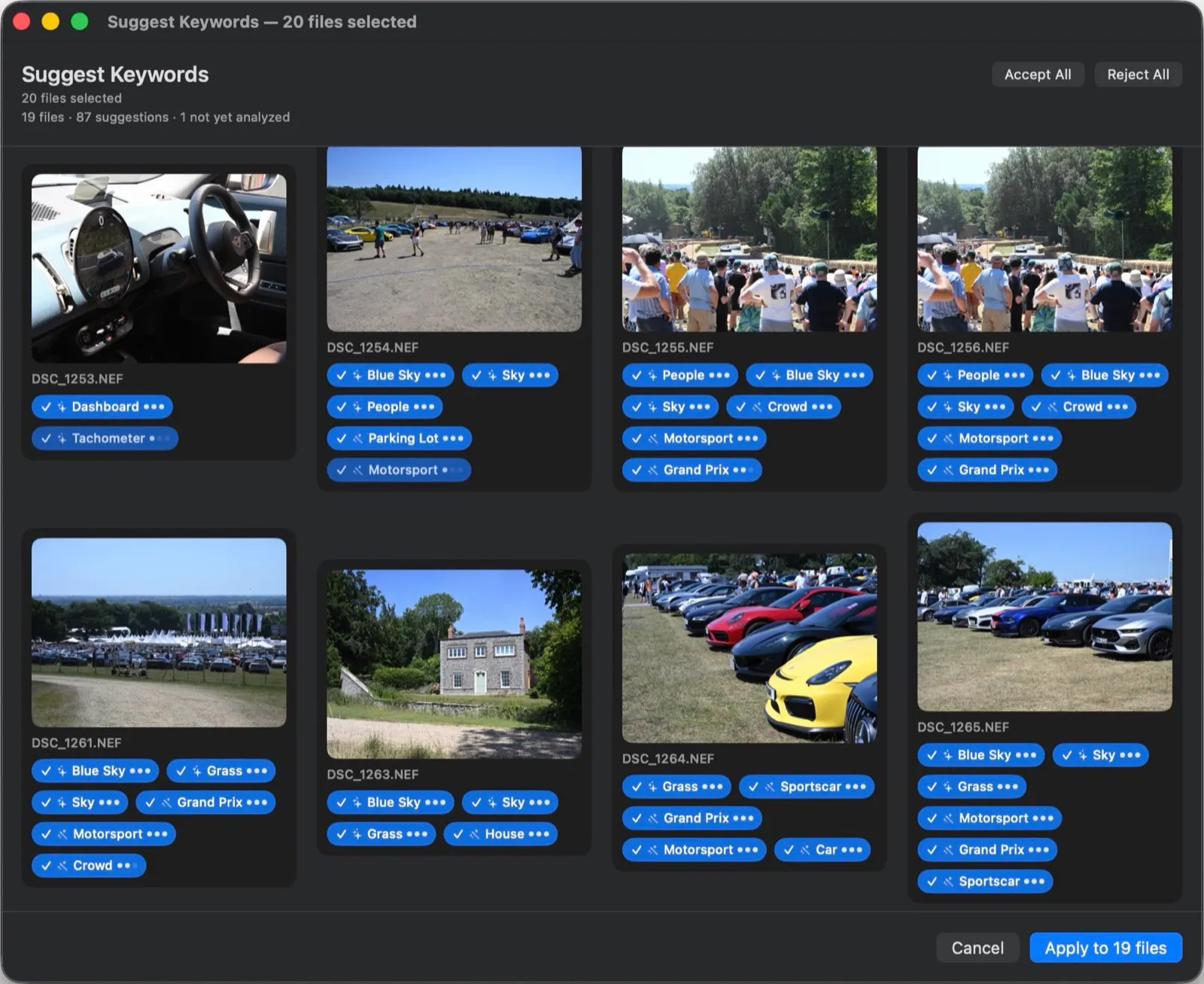
Analyzed photos surface badged keyword suggestions across 1,000+ subjects, fully on your Mac. Accept the ones you want and they join your vocabulary, so AI speeds up the first pass without taking control of your tags.

See Parergon Intelligence →
Parergon suggesting keywords from on-device image analysis, with accept or reject per photo
One photo, made findable
Field Before After
IPTC:Keywords (empty) beach, sunset, golden retriever
Source None Vocabulary + AI suggestion
Searchable by concept No Yes

Good to know

How it tags.

System
macOS 15.4 or later, on a Mac with Apple silicon.
Standards
Writes IPTC and XMP keyword fields, so tags travel with the file.
AI is optional
On-device suggestions are Pro. Nothing is written until you accept it.

Questions

Keyword questions

Are the keywords standards-correct?

Yes. Parergon writes keywords to the IPTC and XMP fields that photo software and asset managers read, so your tags travel with the file.

How do controlled vocabularies help?

A controlled vocabulary is your approved list of terms, with hierarchy and synonyms. It keeps spelling and wording consistent across a whole library and lets you search by concept, not just exact text.

Can I keyword many photos at once?

Yes. Add or remove keywords across a whole selection in the Keyword Workbench, and let keyword rules apply tags automatically based on conditions you set.

Where do the AI suggestions come from?

From on-device image analysis. Parergon suggests keywords for what is in the frame, fully on your Mac, and nothing is written until you accept it. See the Intelligence page for detail.

Make your whole library findable.

Download on the Mac App Store